

By Kixlogic · Flipbook maker
FlipbookIQ
Flipbooks, made in your browser.
Drop in a PDF and get a flipbook people actually page through — a real page turn, a link, a QR code and embed code for your website. No download and no Office needed. Already work in Word or PowerPoint? FlipbookIQ is also a free add-in for both, and it is the same product either way: the same account, the same flipbooks, the same link.
Free to start. No card, no download, no password — just your email. Browse the FlipbookIQ Library →
Three ways to make one
Use whichever suits the file you have. Everything you make shows up in the same Studio.
In your browser
Open the Studio, sign in with your email and drop in a PDF. No download, no Word or PowerPoint. Your browser renders the pages and you have a flipbook in a minute.
In Word
Open a document, choose Make a flipbook, publish from the pane. The add-in is free. Word on Windows renders the pages; Word on Mac and the web sign you in and open the Studio.
In PowerPoint
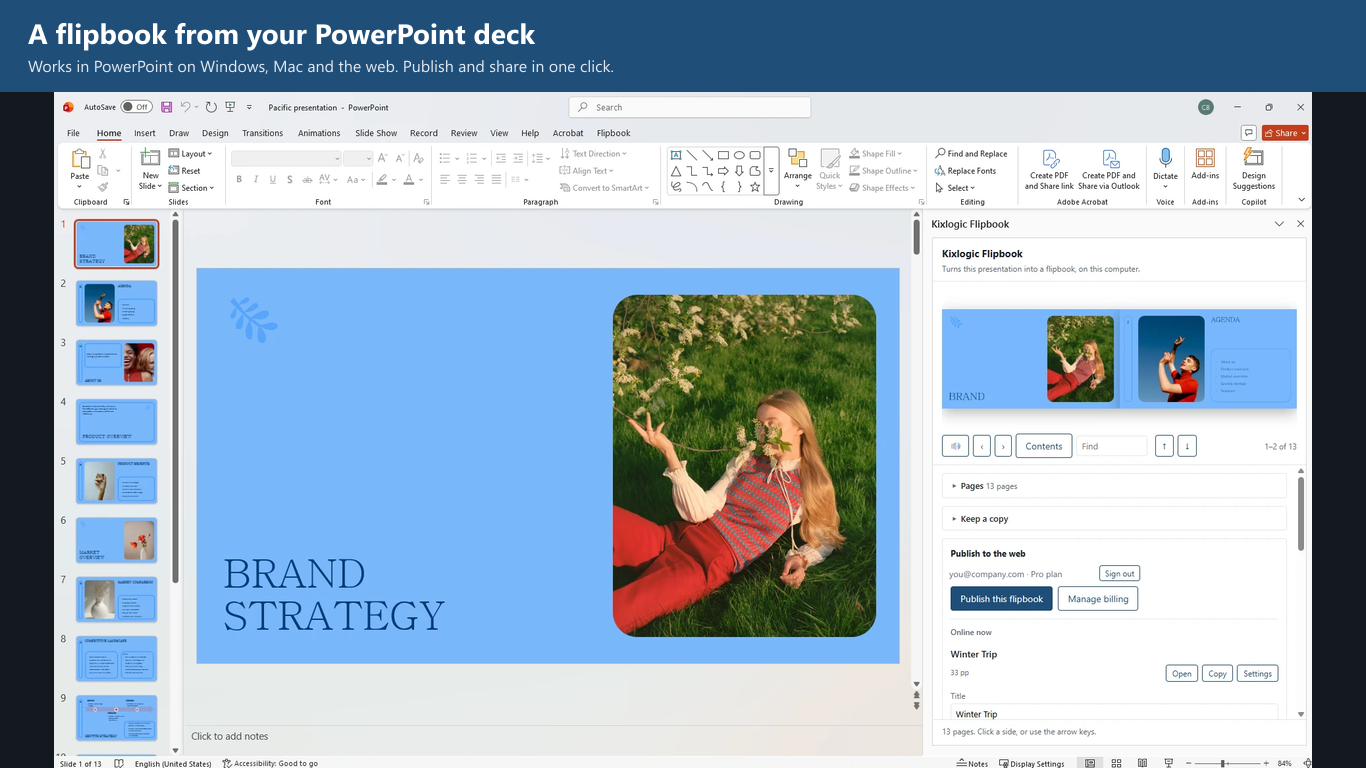
The same button on your slides, on Windows, Mac and the web. Every slide becomes a page, and republishing keeps the same link.
Built around your file staying yours
Your file stays on your computer
Pages are rendered on your machine, in the browser or in Office. When you publish, only the finished page images are uploaded — never the PDF, .docx or .pptx.
Readers are not tracked
We count views per flipbook per hour and store nothing about who read it. Readers need only a browser, on a phone or a laptop.
Update without breaking the link
Edit the document, publish again, and the same link shows the new pages. The QR code you printed keeps working.
What you get
A real page turn
Open a Word document or a PowerPoint deck, choose Make a flipbook, and every page appears in the pane.
Or start from a PDF
No Word or PowerPoint? Drop a PDF straight into the Studio in your browser. It is rendered on your own computer and only the finished pages are uploaded, so the PDF itself never leaves it.
Share it three ways
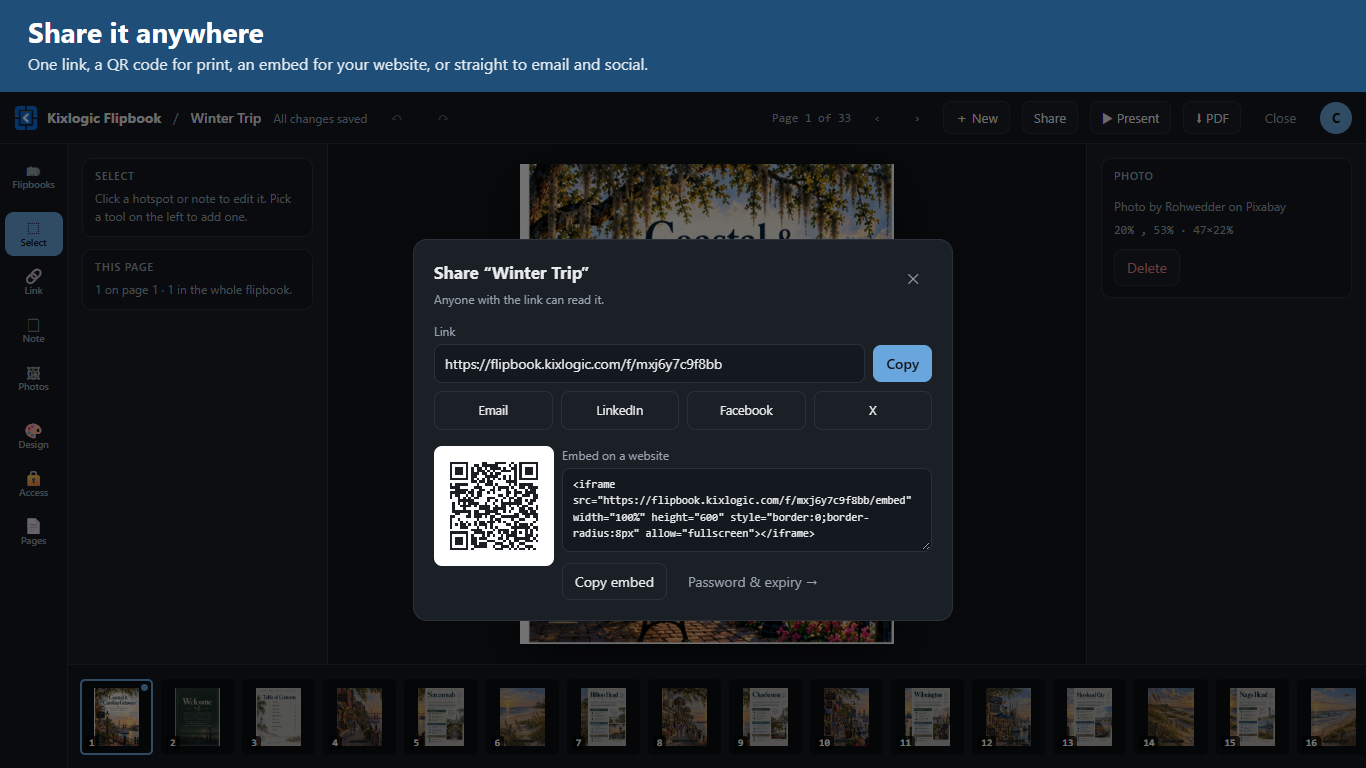
A link, a QR code and embed code for your own website. Or save a copy as a single HTML file that works offline, or as a PDF.
Better than the paper version
Links in your document stay clickable. A YouTube or Vimeo link plays in place. Readers can search the text and open a table of contents built from your headings.
Ask this flipbook
Switch on a question box and readers can ask your flipbook things like “What is the return policy?” An AI answers from the text of your pages and shows where it found it: click “Page 14” and the book turns to that page and highlights the passage. It works on flipbooks made from Word, PowerPoint, or a PDF with selectable text. On Pro and Business.
Start from a template
Six ready-made starting points: restaurant and café menus, a product catalog, a company brochure, an event program and a newsletter. Pick one, change the words, add your own photos.
The Studio
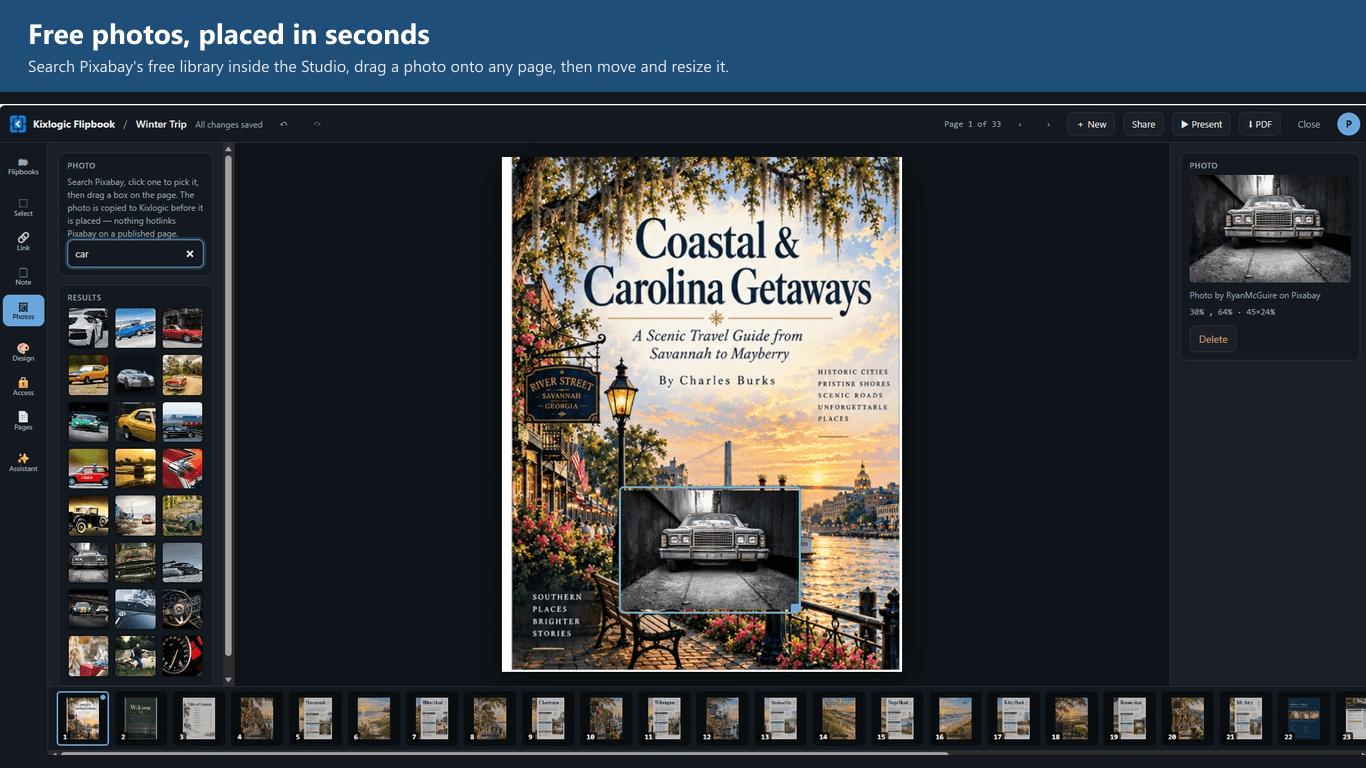
Add clickable links, text, notes and free photos to any page. Put text over printed words to change a price or a date. Move and resize, undo and redo; every change saves itself.
Video, music and animation
Play a YouTube or Vimeo video, or a file you upload, right on the page. Give the flipbook a soundtrack that readers can switch off. Make anything on a page fade, slide, zoom or pop in.
Your own address
Serve your flipbooks from a domain of your own, like books.yourbrand.com. The bare address becomes a bookshelf of the flipbooks you choose to list, with your name and colour on it, and your links and QR codes carry your address.
Control who reads it
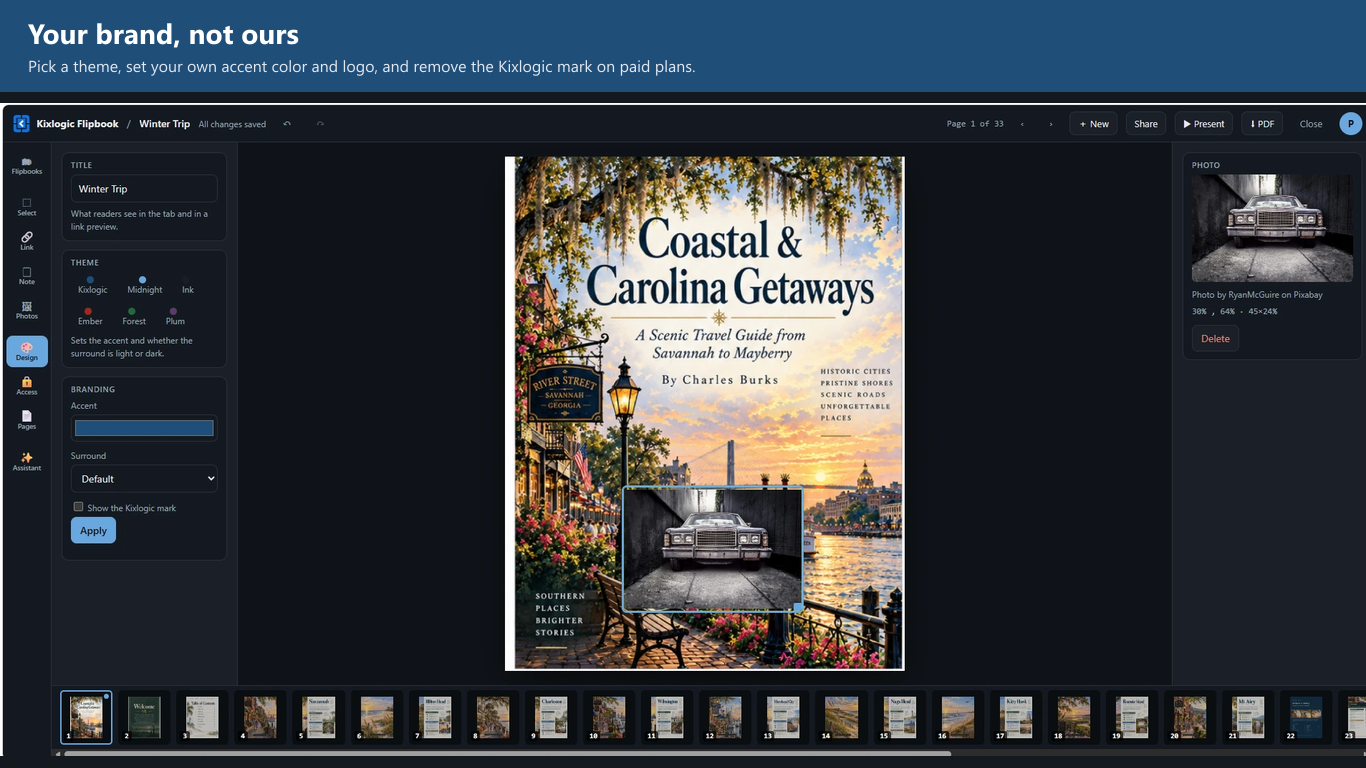
Set a password or an end date, add your own logo and colors, ask readers for an email before they read, and see how often each flipbook is opened.
What it looks like
Real screens from the product. Click any one to see it full size.
FlipbookIQ Library
See it before you make one: flipbooks made with FlipbookIQ, read right on the page with a real page turn.
Browse the FlipbookIQ LibraryRead flipbooks made with FlipbookIQ, share them, and get ideas for your own. Free to make. Pay only to keep them online.
Converting happens on your computer and costs us nothing, so it is unlimited on every plan. The plans are about what happens after you publish.
- Six starter templates
- Make and save unlimited flipbooks on your computer
- One flipbook online at a time
- Up to 20 pages
- Kept for 14 days
- Marked “Made with FlipbookIQ”
- Up to 40 MB per publish
- Unlimited flipbooks, kept until you remove them
- Up to 200 pages each
- Your own link name
- Password and expiry date
- Editing after publishing
- Remove the FlipbookIQ mark
- Links, text, notes and photos on any page
- Video, music and animation
- Ask this flipbook: an AI answers readers’ questions from your pages
- Upload video and audio (2 GB)
- Add your own domain for $9 a month
- See how often each is opened
- Up to 300 MB per publish
- Everything in Pro
- For a team — 10 seats minimum
- Up to 500 pages each
- Your own domain (up to 3)
- Upload video and audio (20 GB)
- Up to 1 GB per publish
Subscriptions are billed monthly by Stripe and can be cancelled at any time. Terms · Privacy
Questions
Is the add-in free?
Yes. Making flipbooks and saving copies on your computer is free and unlimited. What the plans change is publishing online: how many flipbooks stay up, for how long, and whether they carry our mark.
How do I buy Pro?
Install the add-in, or open the Studio, and sign in with your email — we send a six-digit code, there is no password. Then choose Upgrade. Checkout is on Stripe. Pro is $19 a month and Business is $24.99 per seat a month; both are billed monthly and can be cancelled at any time.
What happens if I cancel?
Nothing is deleted the day a card lapses. Flipbooks you have already published stay up until the account is back on the free plan and over its limit.
Can I upload a PDF instead?
Yes. Open the Studio, choose New flipbook and drop in a PDF — no add-in needed. Your browser renders the pages and only the finished pages are uploaded. It is then the same flipbook as one made from Word or PowerPoint: link, QR code, embed, and everything in the plans below.
Can I add video and music?
Yes, on Pro and Business. Paste a YouTube or Vimeo link, or a link to an mp4, webm, mp3 or m4a file, or upload a file of up to 90 MB, and drag a box on the page; readers press play right there. A soundtrack starts when a reader first clicks and they can turn it off. For a longer video, use a YouTube or Vimeo link.
How does Ask this flipbook work, and what is sent to an AI?
You switch it on for a flipbook in the Studio (Pro and Business). When a reader types a question, the question and the text of the pages needed to answer it go to our AI provider, Anthropic, which writes that one answer. We do not store the question, the answer or who asked, and your page images are not sent. Answers come only from your pages, and it says so when something is not there. AI can still get things wrong, so every answer links to the pages it used. It cannot answer for a flipbook made from scans with no selectable text, and each reader and each flipbook has a daily limit so it cannot be overused. See the privacy notice for the full details.
What can move on a page?
Anything you add: text, notes, photos, links and video boxes can fade, rise, drop, slide in from either side, zoom, pop or pulse, with a wait of up to five seconds. Readers who have asked their device for less motion see none of it.
Are there templates?
Six, to start: a restaurant menu, a café menu, a product catalog, a company brochure, an event program and a newsletter. Choose New flipbook in the Studio and pick one. It becomes your own flipbook in a second; use the Text tool to change the words and the Photos tool to add pictures. All six fit the free plan.
Can I use my own domain?
Yes. Business includes up to three domains; on Pro, add one for $9 a month. In the Studio, open Account, type a name like books.yourbrand.com, and add the one DNS record it shows you at the company that manages your domain. When it is active, links, embed codes and QR codes use your address, each flipbook lives at an address like books.yourbrand.com/summer-menu, and the bare address shows a bookshelf of the flipbooks you tick to list.
Which Office do I need?
PowerPoint on Windows, Mac and the web. Word on Windows. In Word on Mac and on the web, Microsoft does not let add-ins render a document, so the pane signs you in, lists your flipbooks and opens the Studio instead.
How do I install it?
From the install page: download a small manifest file, then load it into Word or PowerPoint. The page has steps for the web, for desktop Windows, and a short note to hand IT if your company blocks user-installed add-ins.
Can our IT department deploy it?
Yes. In the Microsoft 365 admin center, choose Integrated apps ▸ Upload custom apps and give it the manifest link. It then appears in Word and PowerPoint for the people they choose.
Refunds?
Email [email protected] with your receipt. The terms page has the details.